
 back to list
Every parcel that leaves a warehouse drops a breadcrumb. A weight, a destination, a carrier, a timestamp, a cost. Collect those breadcrumbs in one structured place and you have a logistics database: a structured system that stores shipment, warehouse, carrier, route, customer, cost, and performance data in connected records, so a logistics team can track operations and make decisions from one source of truth. Scatter the same breadcrumbs across spreadsheets, inboxes, and three different courier portals, and you have a guessing game that quietly leaks money through misrouted shipments, duplicate records, and decisions made on stale numbers.
Search for logistics database or database logistics and you’ll meet two overlapping ideas: the data model a logistics operation runs on, and the daily discipline of keeping that model clean, often called logistics data management. This article covers both. We’ll look at what the database stores, how the pieces connect, a worked example you can picture, and where the whole thing pays for itself.
What a logistics database stores
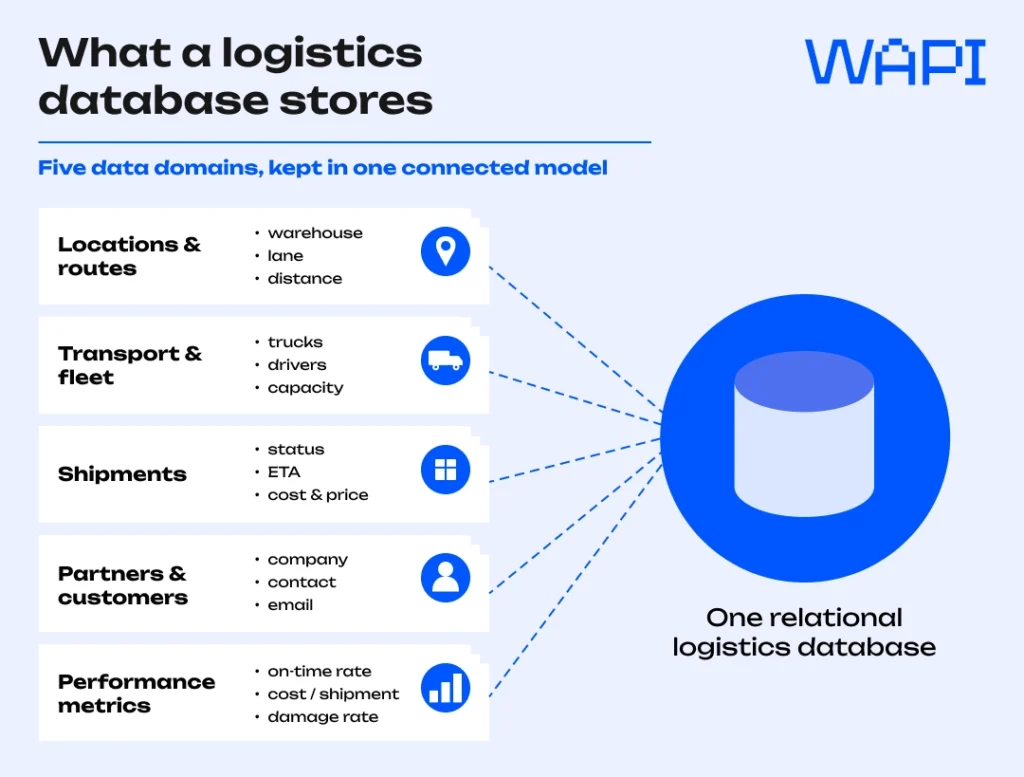
A logistics database is less a single list than a set of linked records describing goods, the assets that move them, and the people on both ends. Most operations sort the data into a handful of domains.
| Data domain | Typical fields | What it powers |
| Locations & routes | warehouse, origin, destination, lane, distance | route planning, network design |
| Carriers & transport | carriers, couriers, service levels, cut-off times, status | carrier choice and dispatch |
| Shipments | order ID, status, ETA, weight, cost, price | live tracking, billing |
| Partners & customers | company, contact, email, customer information | account service, communication |
| Performance metrics | on-time rate, cost per shipment, damage rate | management reporting |
The exact data types shift by operation. A grocery network leans on temperature and shelf-life fields; a parcel carrier cares about dimensions and zone. What stays constant is the need to keep this information accurate and access to it locked down, since a logistics database holds commercial pricing and personal customer information that security rules treat as sensitive.
How a logistics database differs from a WMS and a TMS
The terms get blurred in vendor decks, so it helps to separate them. A logistics database is the connected data layer. A warehouse management system (WMS) and a transport management system (TMS) are execution tools that read from and write to it.
| System | Main role | Typical data |
| Logistics database | Connected data layer across operations | shipments, routes, costs, customers, carriers |
| WMS (warehouse management system) | Warehouse execution | stock, picking, packing, put-away |
| TMS (transport management system) | Transport planning and execution | carriers, lanes, rates, dispatch, tracking |
Most operations run all three. The database is what keeps the logistics tech stack honest, since the WMS and TMS are only as reliable as the shared records underneath them.
Tables, keys, and the relationships between them
Underneath the friendly dashboards sits a relational structure. Each domain lives in its own table, and each row carries a primary key: one value that points to exactly one record. Picture the primary key as the tracking number on a parcel. No two shipments share it, and you can always trace a record back to its source.
Tables earn their power from the relationships between them. A shipment record stores a carrier’s primary key rather than repeating the carrier’s full details, so updating one address updates it everywhere. That linking is what separates a database from a long spreadsheet. Change a price once and every related shipment, invoice, and report reflects it.
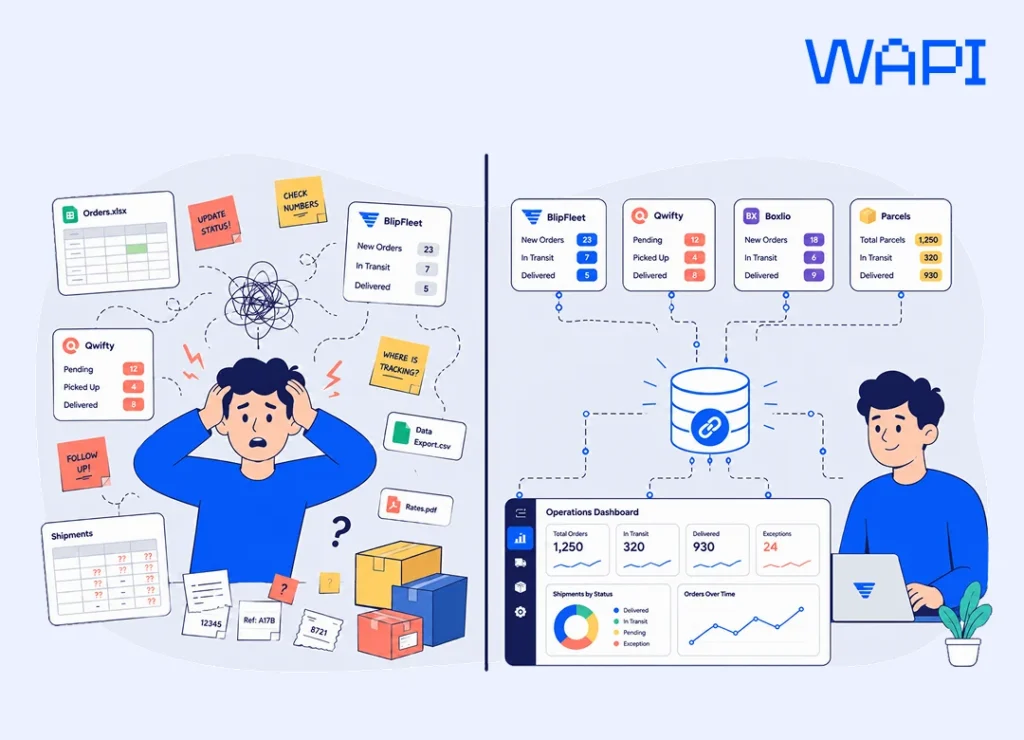
Key point: A primary key is non-negotiable on every table. Without it, duplicate rows multiply, joins break, and your “single source of truth” splits into three conflicting versions of the same shipment.
A logistics database example
Picture a small 3PL logistics provider serving online sellers across Europe. Its logistics database example might run five core tables: Warehouses, Carriers, Lanes, Shipments, and Customers. Each row in Lanes ties a warehouse to a destination region and stores a distance and a base rate. Each Shipment row references one customer, one carrier, and one lane through their primary keys.
Ask a practical question, such as which carrier moved goods most cheaply on the Tallinn to Berlin lane last month, and the database answers by joining those tables. No one digs through email. The query reads the Lanes table for the route, filters Shipments by date, groups by carrier, and ranks the result on cost. Five minutes of structure replaces an afternoon of spreadsheet archaeology.
The same connected data model powers a live order from a seller’s store. Here is the path a single sale takes through it:
- A Shopify order arrives and lands as a new record.
- The system checks the SKU and stock by warehouse.
- The order is assigned to the warehouse that ships fastest to the destination and has the inventory.
- A carrier is chosen by service level, cost, cut-off time, and destination country.
- Each tracking event updates customer support and the seller’s dashboard in real time.
- The shipment cost and the client price flow into finance reporting.
Insight: The value of a logistics database shows up most in questions you didn’t plan for. A flat report answers yesterday’s question. A well-modelled database answers the one a customer asks you tomorrow.
What makes a 3PL database different
A 3PL database carries a complication an in-house one avoids: it holds data for many clients at once. One provider’s records cover dozens of brands, each with its own pricing, carriers, and service rules. Two demands follow. The data model has to separate clients cleanly so no brand ever sees another’s volumes, and it has to track two prices on every shipment: the cost the provider pays the carrier, and the price it charges the client.
That second point shapes the whole design. Margin lives in the gap between cost and price, and a 3PL that cannot report that gap per lane, per client, and per month is flying blind. Strong account security and disciplined master data stop the model from buckling as clients and cross-border logistics lanes multiply.
For an ecommerce seller, the visible part of this system is usually a dashboard: inventory by country, order status, tracking events, returns, and finance reports. The invisible part is the data model that connects every SKU, warehouse, carrier, parcel, and invoice behind it.
Where a clean database earns its keep
A tidy database is not an IT vanity project. It changes what the operations team can actually do.
- Route and lane choice. With distance, transit time, and cost stored per lane, planners compare options instead of defaulting to last week’s carrier.
- Capacity and stock. Live warehouse capacity, stock availability, and courier cut-off times turn daily fulfillment decisions into a controlled workflow.
- Cost control. Cost and price held side by side surface the lanes that lose money before the quarter closes.
- Customer service. A shipment status and contact email in one record let support answer “where is my order” without a phone tree.
- Forecasting. Clean performance metrics feed demand models that hold up under pressure.
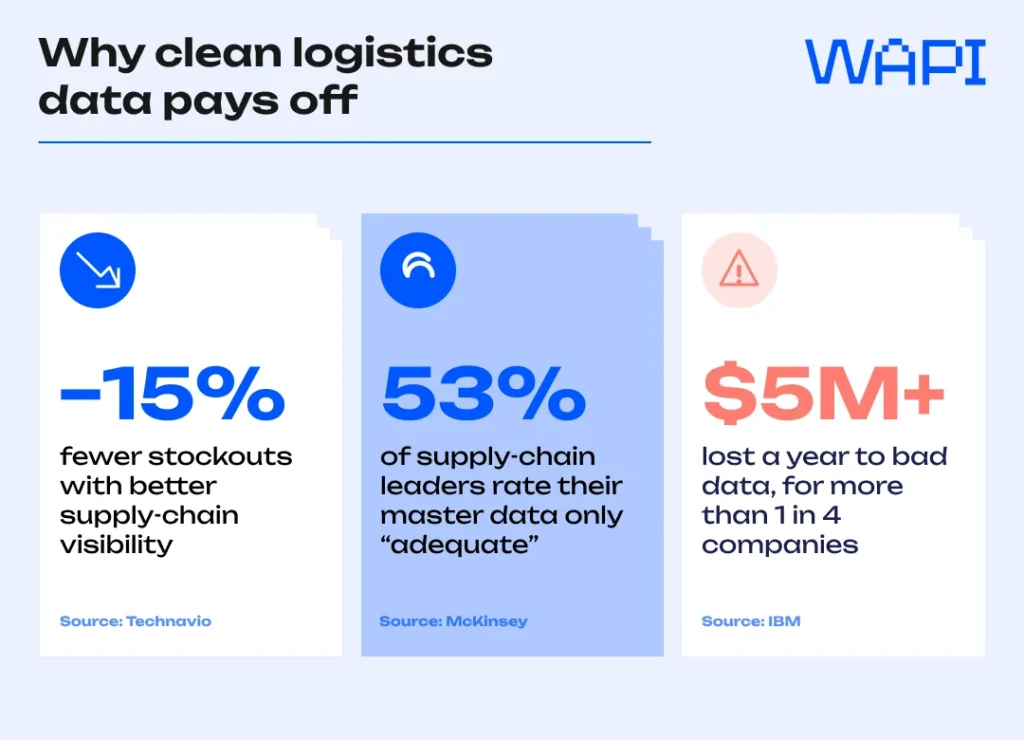
The payoff is measurable: retailers that improved supply chain visibility cut stockouts by around 15 percent. The foundation, though, is shakier than most admit. McKinsey found that only 53 percent of supply chain leaders rate their master data quality as adequate, and IBM puts the cost of bad data at more than five million dollars a year for over a quarter of organizations. Half the field, in other words, runs on numbers it doesn’t fully trust.
Operator’s note: Before you buy another analytics tool, audit the data feeding it. A dashboard built on duplicate carriers and missing timestamps produces confident, expensive nonsense. Clean the source first.
From storage to real time
A database that updates once a night answers questions about the past. A database that syncs in real time answers questions about right now: whether stock is available in the right country, whether the courier scan has happened, which orders are at risk of missing their SLA, and which warehouse can ship fastest today. That shift from record-keeping to live signal, or real-time shipment tracking, is what most teams mean when they call a logistics database “smart.”
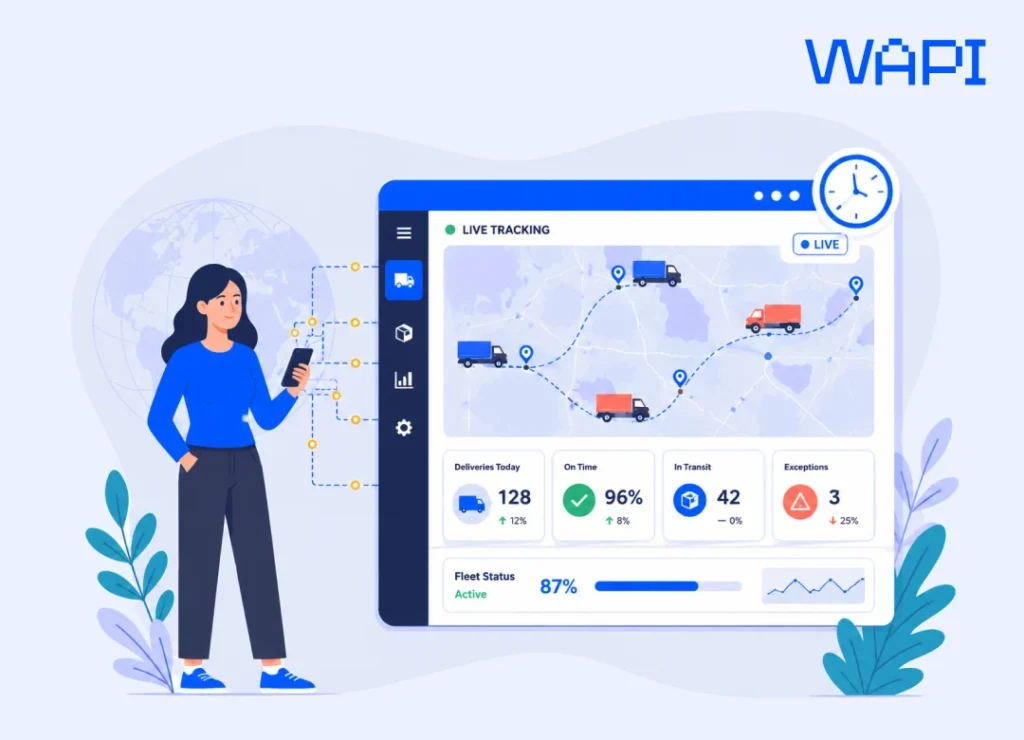
The same live data feeds forecasting. Models that read clean history predict demand, flag a shipment likely to miss its window, and suggest a cheaper carrier before dispatch rather than after. None of it works without the structure underneath. Automation applied to messy data just scales the mess. The global 3PL market is projected to top 1.4 trillion dollars in 2026, and the operators winning share are the ones whose data is clean enough to automate on.
Security and compliance
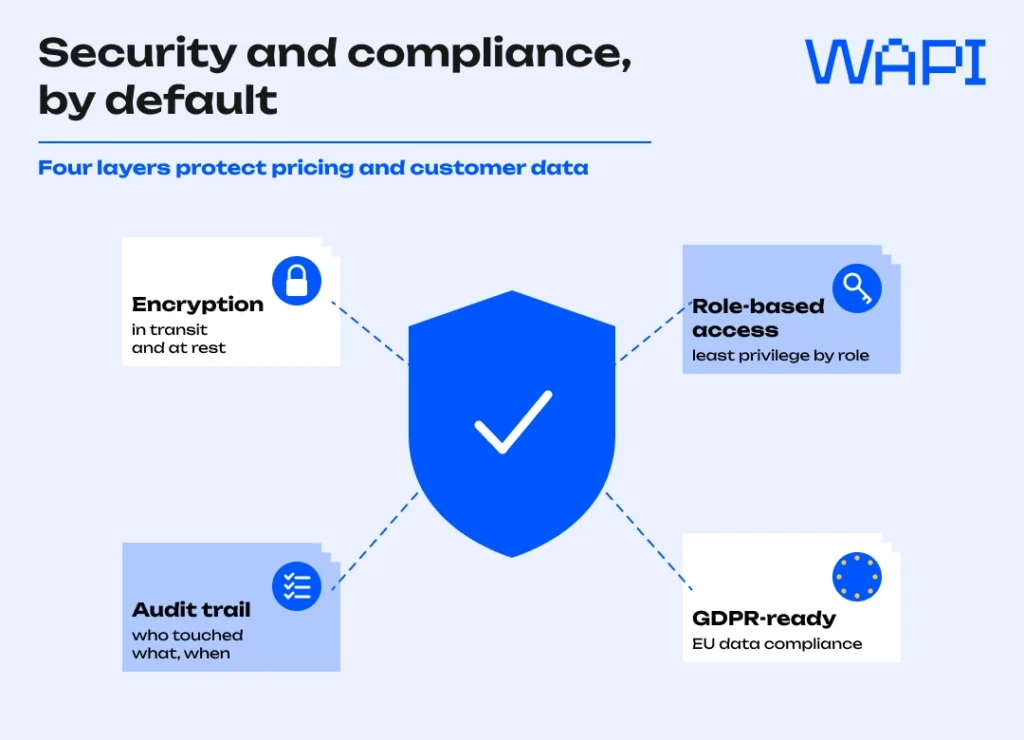
A logistics database holds two things that attackers and regulators both care about: commercial pricing and personal data on customers. For anyone moving goods into or across the EU, that puts the General Data Protection Regulation squarely in scope, alongside the access controls and encryption any serious system applies by default.

The practical setup is unglamorous and effective: encrypt data in transit and at rest, restrict each record to the roles that need it, and log who touched what. For a 3PL the same discipline does double duty, since role-based access is also what keeps one client’s volumes invisible to another.
Build, buy, or outsource
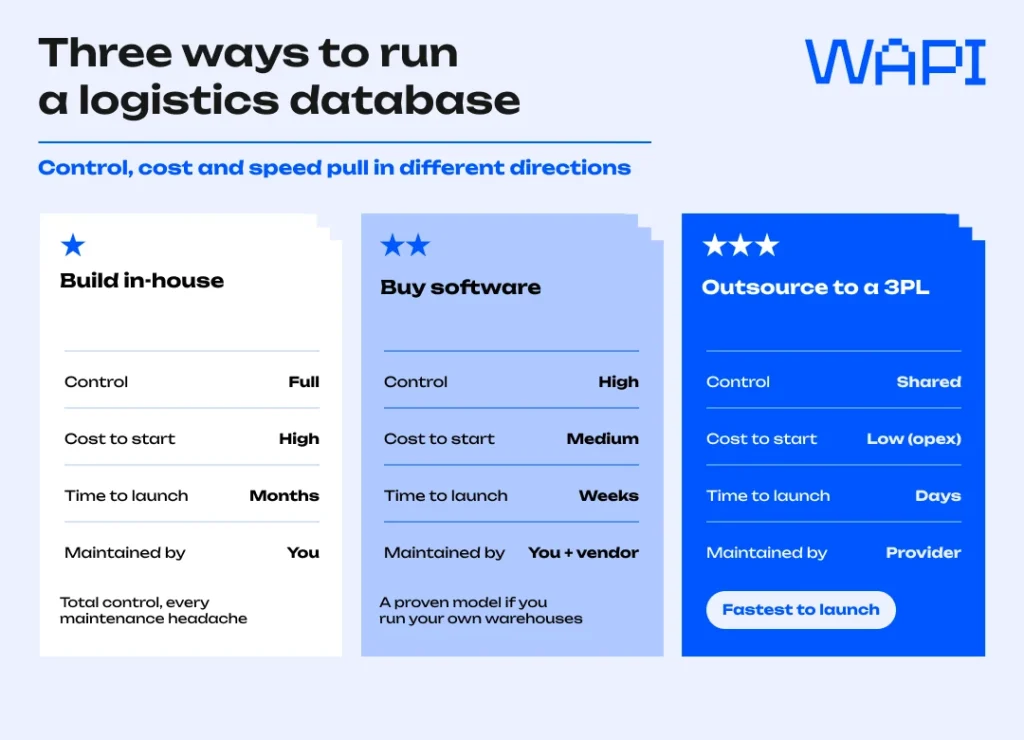
Three routes lead to a working logistics database, and the right one depends on how much logistics you want to own.
Building in-house gives total control and a matching bill: you own the schema, the security, and every maintenance headache. Buying fulfillment software or a warehouse management system hands you a proven data model and ready integrations, which suits brands running their own warehouses. Outsourcing to a 3PL partner means the database, the warehouses, and the carrier relationships arrive as one service, and you read your numbers through their dashboard.
For most growing online sellers, the third route wins on speed. A provider already handling cross-border shipping across several markets has spent years modelling the lanes, carriers, and costs you would otherwise build from scratch. With WAPI, sellers do not build the logistics database, warehouse network, carrier setup, and reporting layer from scratch: they connect their ecommerce channels, store inventory in local warehouses, and use one system to track orders, inventory, courier performance, returns, KPIs, and finance data across markets. If you ever outgrow a provider, the data you can export is exactly what makes switching your 3PL survivable rather than catastrophic.
The bottom line
A logistics database is not valuable because it stores data. It is valuable because it connects decisions: where to hold stock, which warehouse should ship, which carrier protects the SLA, where margin is leaking, and what the customer should see next. For a growing ecommerce seller, outsourcing that data layer to a fulfillment partner like WAPI can be faster than building it from scratch. You get the warehouse network, carrier setup, order tracking, inventory visibility, and reporting layer in one system, while keeping access to the data you need for analysis and future migration.
Frequently Asked Questions
What is a logistics database in simple terms?
It is a structured store of everything a logistics operation needs to act on: warehouses, carriers, routes, shipments, costs, and customers. The structure lets you ask questions across all of it at once instead of hunting through separate files.
What is the difference between a logistics database and a WMS?
A warehouse management system runs operations inside the four walls of a warehouse, such as picking and put-away. The logistics database is the wider data layer that also covers transportation, carriers, and customer information across the whole network. The WMS usually writes into that database.
What data types belong in a 3PL database?
At minimum: location and route data, carrier data, inventory and stock records, shipment detail with cost and price, customer and contact information, and performance metrics. A 3PL database adds clean client separation so each brand’s data stays private.
How do you keep a logistics company database accurate?
Give every table a primary key, validate data at entry rather than after the fact, deduplicate carriers and customers on a schedule, and assign clear ownership for each domain. Accuracy is a habit, not a one-time clean-up.
Does WAPI give me access to my own logistics data?
Yes. WAPI runs an all-in-one system where sellers see multi-country inventory, track orders in real time, and pull KPI and finance reports from one dashboard. You manage every sales channel and reroute orders from the same place.
Which countries does WAPI’s logistics network cover?
WAPI operates fulfillment warehouses across the EU and the UK, plus Mexico, with sites in markets including Germany, Spain, Italy, Poland, Slovakia, and Romania. Local stock supports 24 to 48 hour delivery.
Can WAPI connect to the data in my existing online store?
Yes. WAPI integrates with platforms such as Shopify, eBay, and BigCommerce, syncing your catalogue and orders into one system so your store data and fulfillment data stay aligned without manual exports.

Keep in touch with WAPI!
Get free ecommerce tips, news, webinars and other stuff.
 Community